
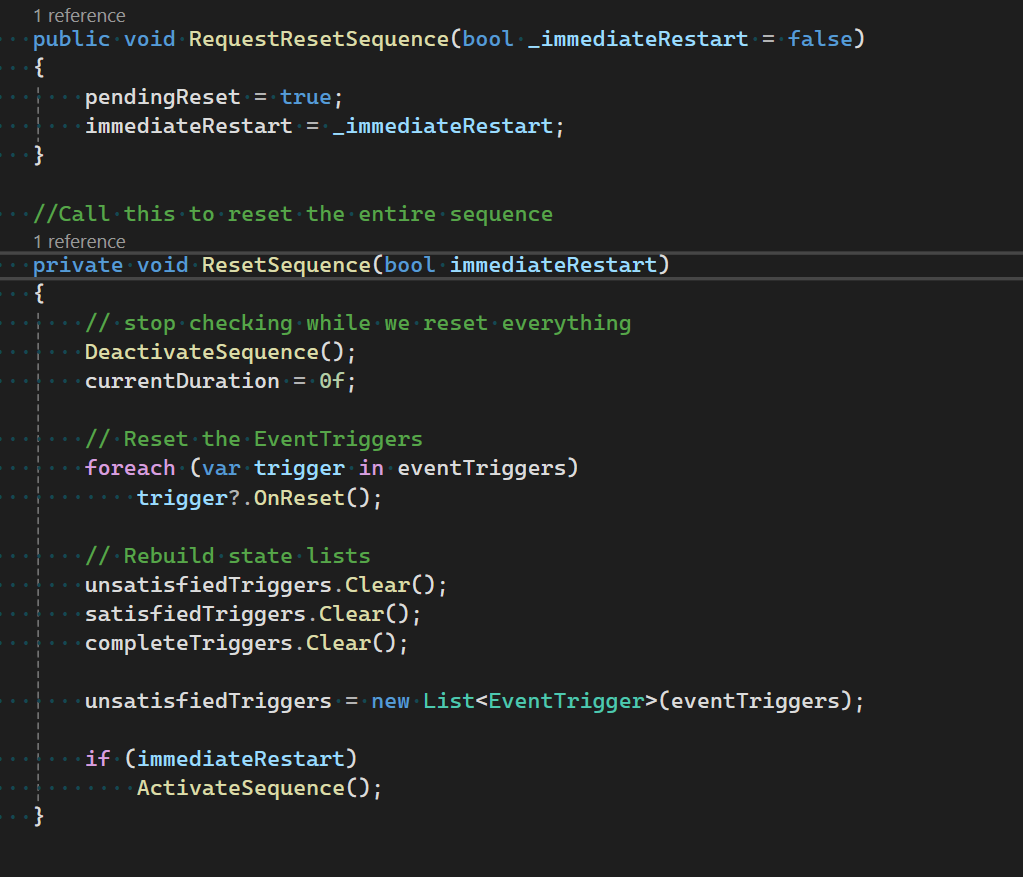
The functionality for resetting sequences has finally been created! Inside the Sequence script, a new function “RequestResetSequence(bool _immediateRestart = false)” can be called. The ImmediateRestart variable controls whether or not the sequencer will immediately enable itself after reset, or if it will wait for it’s origional EnableSequencer script.
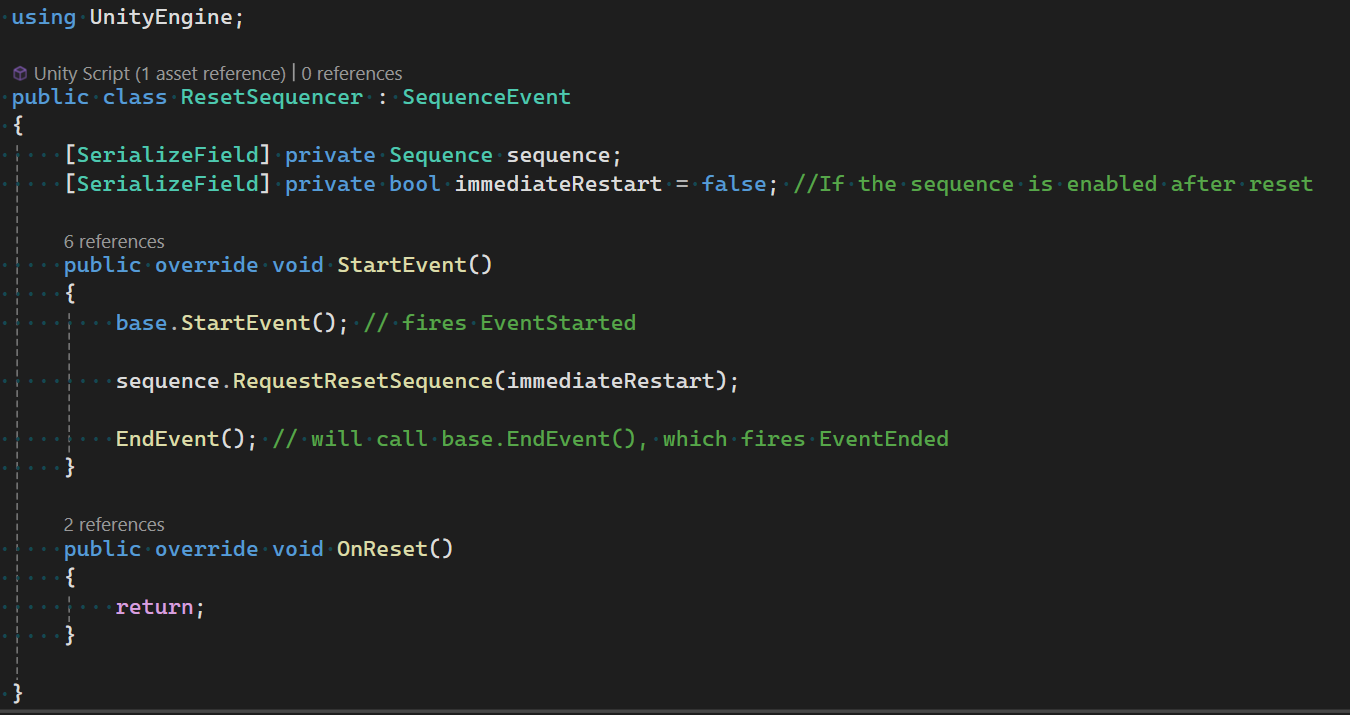
New SequenceEvent: ResetSequencer
This comes with it’s partner Event, “ResetSequencer”. ResetSequencer will request the given sequence’s reset.
Common Errors:
One common error to watch out for is the script execution order. RequestResetSequence only sends a request for reset. After receiving this request, the sequencer will internally call it’s own logic inside of ResetSequence on LateUpdate. Because of this, the reset may happen later in a frame than originally expected.
Be sure that any custom scripts you’ve made have proper overrides for any OnReset or EarlyDisable functions as without proper guidance, your scripts may not reset themselves.
How do I use it?
To use this new feature, you can use the ResetSequence event, or you can call it yourself! It is a public function of each Sequence, so feel free to reset the sequence whenever you need. Be sure that any custom scripts you’ve made have proper overrides for any OnReset or EarlyDisable functions.
When would I use it?
The first use case of ResetSequence may seem obvious - create infinite loops in your sequence! If you want enemies to spawn infinitely, or a constant trickle of powerups after the first one had been picked up, this is the perfect script.
A hidden second use case is to use the ResetSequencer to create a while loop, with the EventConditions attached acting as your conditions.

